AI training for office managers
Two mornings or one day in which you learn how generative AI works, what can and cannot go into an AI tool, and how to write emails, invitations, minutes and schedules faster. You practise on your own work, in Copilot, ChatGPT or Gemini: whichever tool your company already uses.
New programNot yet delivered to a client. Built on the approach of our AI training for executive secretaries
How the training fits your office
An intake first, then two mornings or one day, and you finish with agreements as a team.
Tailored intake
Before the training we map which AI tools you already use, where the concerns are and which tasks take the most time. We tailor the examples in the training to those answers.
- Intake survey beforehand
- Examples from your own work
- Confidentiality concerns mapped in advance
Two mornings or one day
The first part lays the foundation and the limits: how AI works, prompting, confidentiality and checking output. If you choose two mornings, you practise for a week in between with an assignment. The second part is about application: calendars, the inbox, minutes and the recurring work of the office.
- Foundation and limits
- An assignment between the mornings
- Working in the tool you already have
- Workflows from the intake
Agreements as a team
You finish with agreements as a team and a personal plan for the first thirty days. Afterwards we measure the impact with an evaluation.
- Agreements as a team
- 30-day action plan
- Prompt Pack to keep
What you can do after the training
You go home with prompts that work on your own work and a clear answer to what can and cannot go into an AI tool.
 Image: AI-generated
Finish faster and send nothing unchecked to management or a client
Skills for the office to use AI responsibly
Confidentiality first
What can you enter when you work with calendars, employee data, contracts and invoices? You pick the right tool for each type of information, and know what the GDPR and shadow AI mean for you.
Understand AI
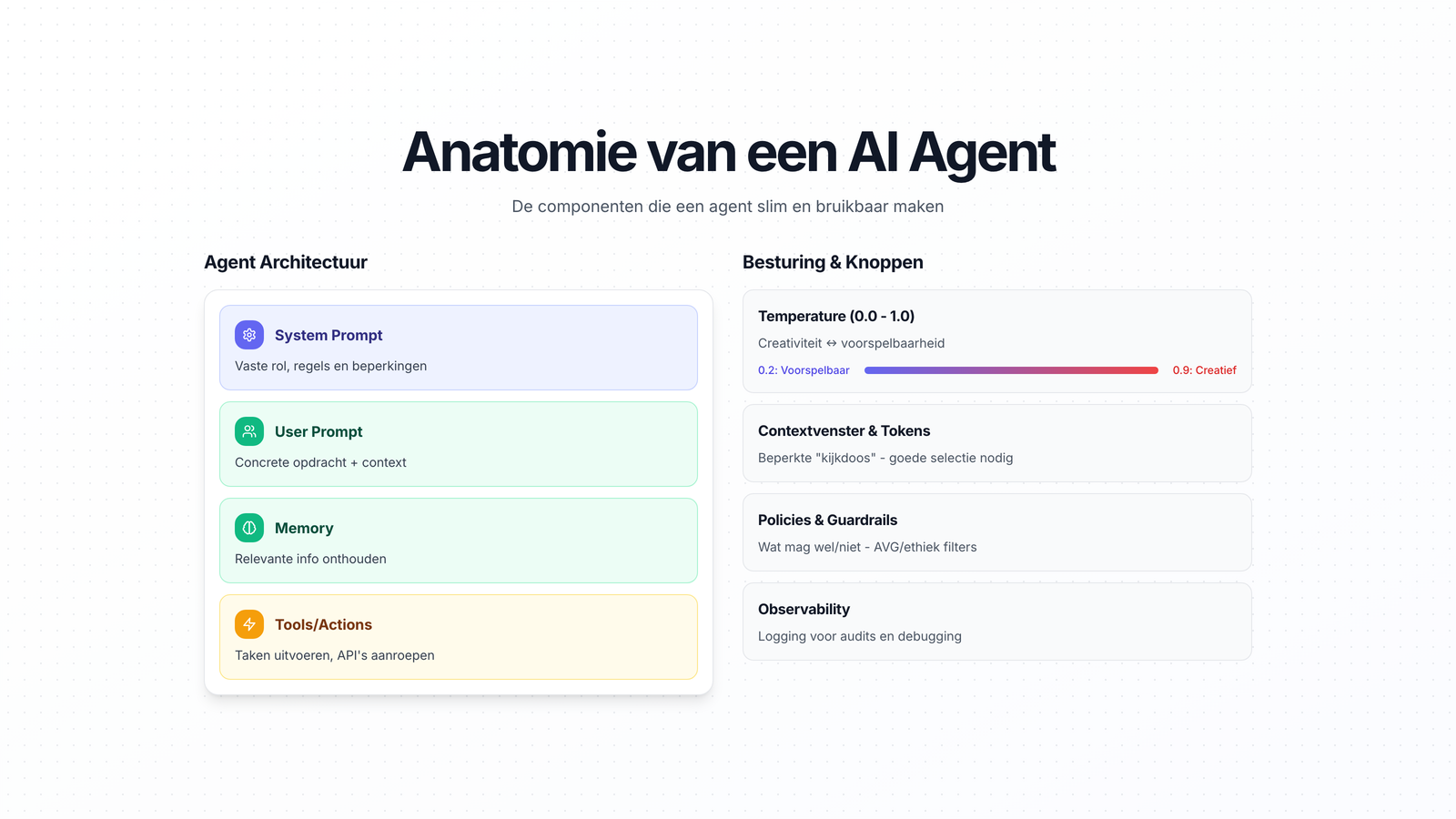
Enough to see what happens and why AI sometimes states nonsense convincingly, without a technical deep dive.
Prompting with office examples
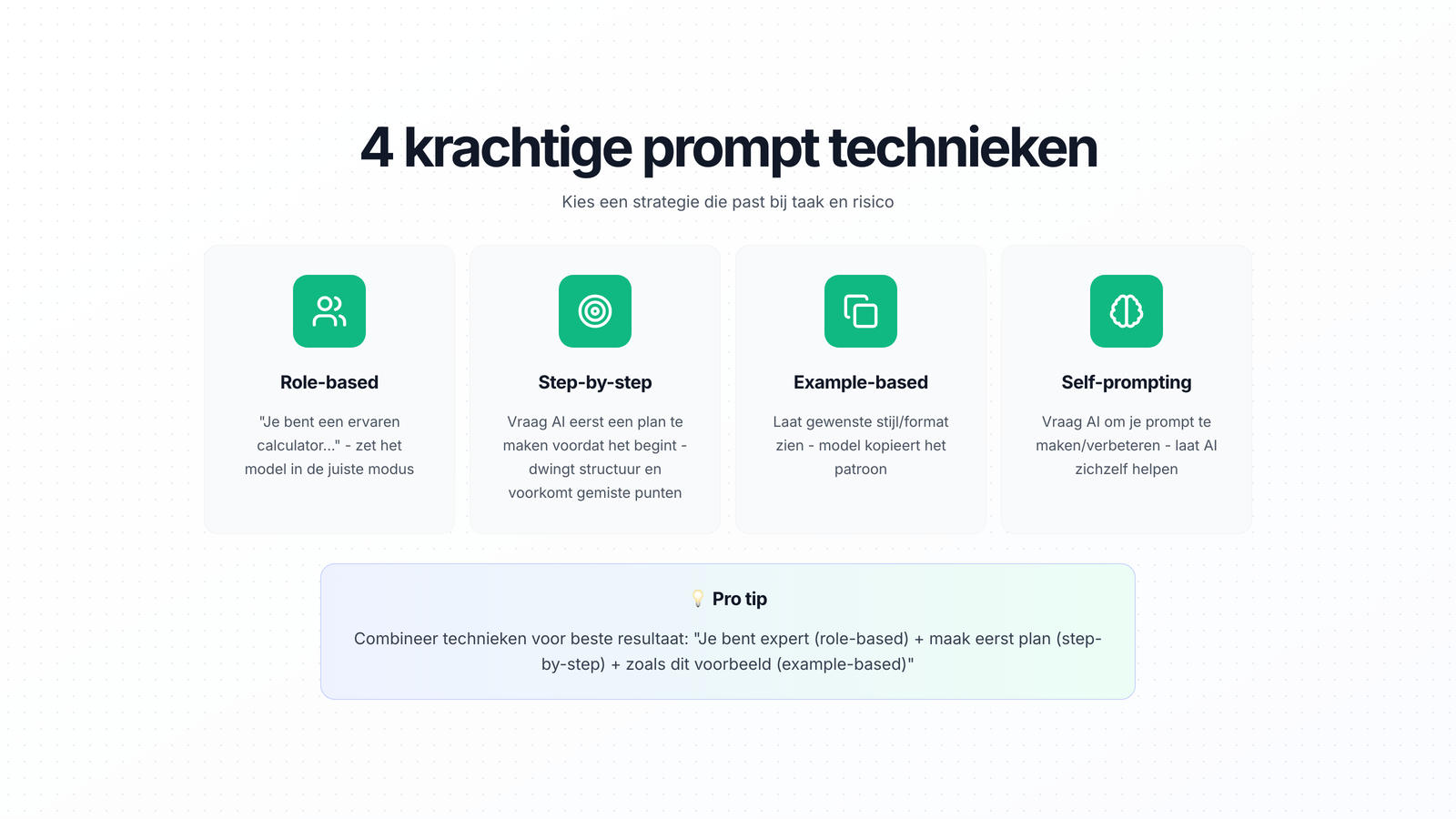
Four questions before you type and four techniques to steer, practised on invitations, cancellations and emails to suppliers.
Check before it goes out
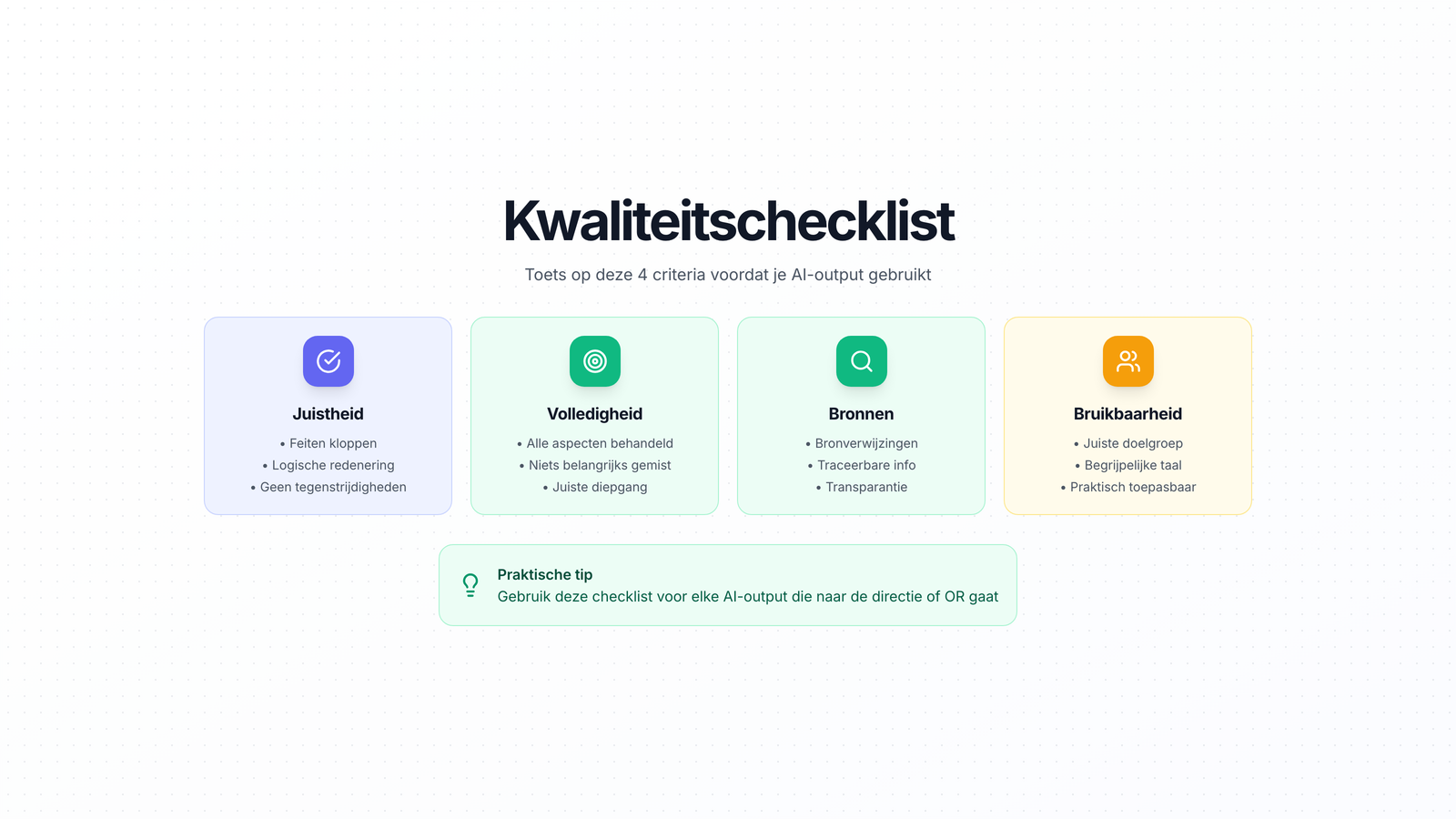
AI sometimes tells you what you want to hear. You learn to spot the pitfalls, such as a wrong date or an invented amount, and a fixed check before anything reaches management, a colleague or a client.
Work in the tool you already have
Copilot in Outlook and Teams, or ChatGPT and Gemini: scheduling across several calendars, minutes from a meeting and summarising a long email thread.
What you keep doing yourself
What management needs to know, the first conversation with a new colleague and the tone towards a supplier who drops the ball: that remains human work.
Two mornings
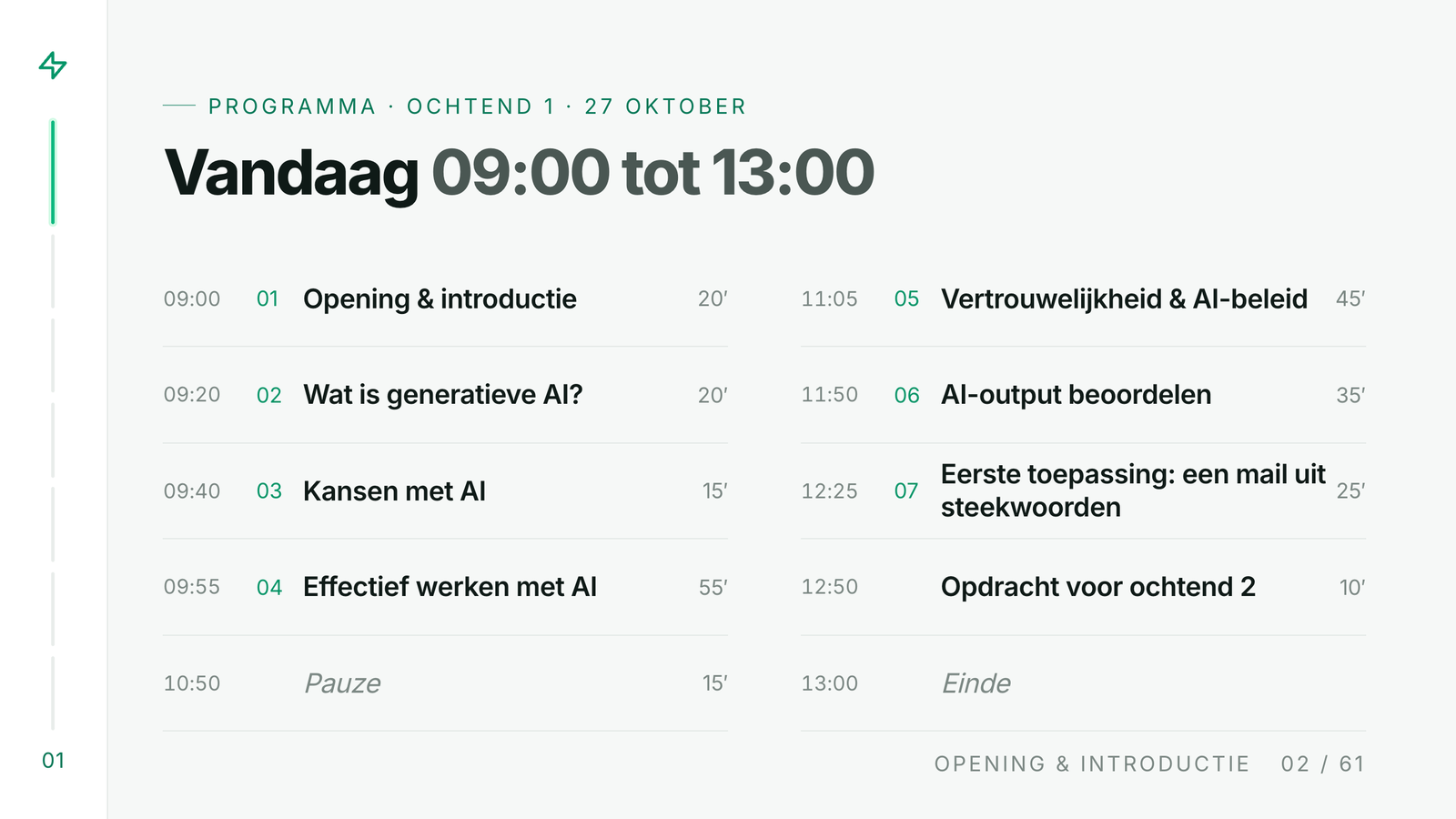
Morning 1: foundation and limits. Morning 2: application in your own tool and your own work. Prefer one day? Then the two parts follow each other.
Morning 1 · foundation and limits
Morning 2 · application
A look inside the training
A preview of what to expect
What participants say
This program is new and has not yet been delivered to a client. So here is what participants in our other trainings say.
As a layperson, this is a fantastic first introduction to AI, after which you can make enormously rapid progress in working with AI.
The training should definitely be made mandatory for all colleagues at the municipality of Helmond, so that they can separate sense from nonsense in one another!
Educational. For most people this is still fairly unfamiliar territory, so it's great to become a bit wiser through a clear explanation.
Your enthusiasm is contagious. You present the subject matter in an engaging way, which has made me view AI more positively.
It was a clear explanation with interesting topics.
I learned a lot about AI and how to apply it. What I found really great is the passion with which Emiel conveyed the information and how he managed to convince us of the use of AI
This training is new and has not been delivered yet, so it has no evaluations of its own. The figures come from 46 evaluations of our other trainings.

Gerwin Hendriks
AI trainer
Trains teams in applied AI, with exercises from their own work.
Training options
Choose the depth that fits your team. Prices excl. VAT
- AI foundation
- Effective prompting
- Confidentiality and AI policy
- Checking output
- All materials included
- Everything from half day
- Working in your own AI tool
- Workflows for the office
- Practice on your own work
- Personal action plan
- Follow-up session (optional)
- Everything from full day
- Build your own assistants
- Agreements for the whole team
- Pilot guidance
- 2 follow-up sessions
What's included?
Frequently asked questions
What you need to know about the training
Plan an AI training for your office team
Tell us about your company and goals. We will gladly think along about the right setup.