AI training for permit officers
One day in which you learn how generative AI works, what you can and cannot put into an AI tool, and how to use it to prepare requests for additional information, building code checks and objection analyses. Hands-on, on your own case files.
From intake to your own case file
A training that matches where your department stands
Tailored intake
Before the training we map which tools your team already uses, where the concerns are and which tasks take the most time. We build the afternoon around that.
- Intake survey beforehand
- Analysis of current AI knowledge
- Workflows from your own answers
Training with depth
In the morning the foundation: how AI works, effective prompting, the GDPR, the AI Act and checking output. In the afternoon three workflows for permit work, practised on your own cases.
- AI understanding without jargon
- Prompting with GROW
- Privacy, AI Act and municipal policy
- Correspondence, regulations and objections
From knowledge to action
You finish with agreements as a department and a personal plan for the first thirty days. Afterwards we measure the impact with an evaluation.
- Agreements as a department
- 30-day action plan
- Prompt Pack to keep
AI writes the first draft, you make the decision
You go home with prompts that work on your own case files and a clear answer to what can and cannot go into an AI tool.
 Image: AI-generated
Work faster without losing control
Skills to use AI responsibly in permit work
Know the limits
What can you enter when you work with personal data, integrity screening files and draft decisions? You pick the right tool for each type of information.
Understand AI
Enough to see what happens and why AI sometimes states nonsense convincingly, without a technical deep dive.
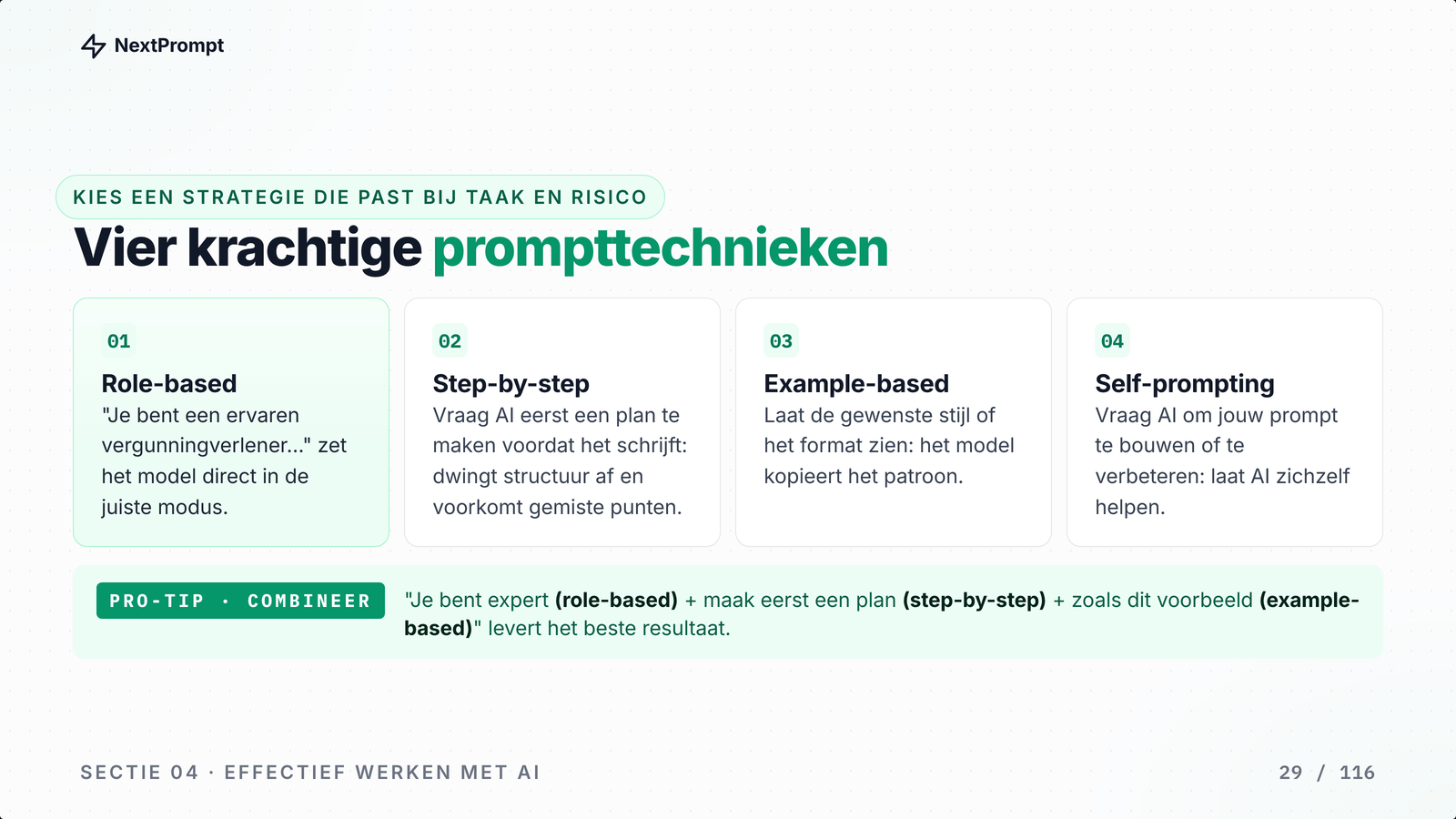
Prompting with GROW
Goal, role, output and context: four elements for a strong prompt, plus four techniques to steer the result.
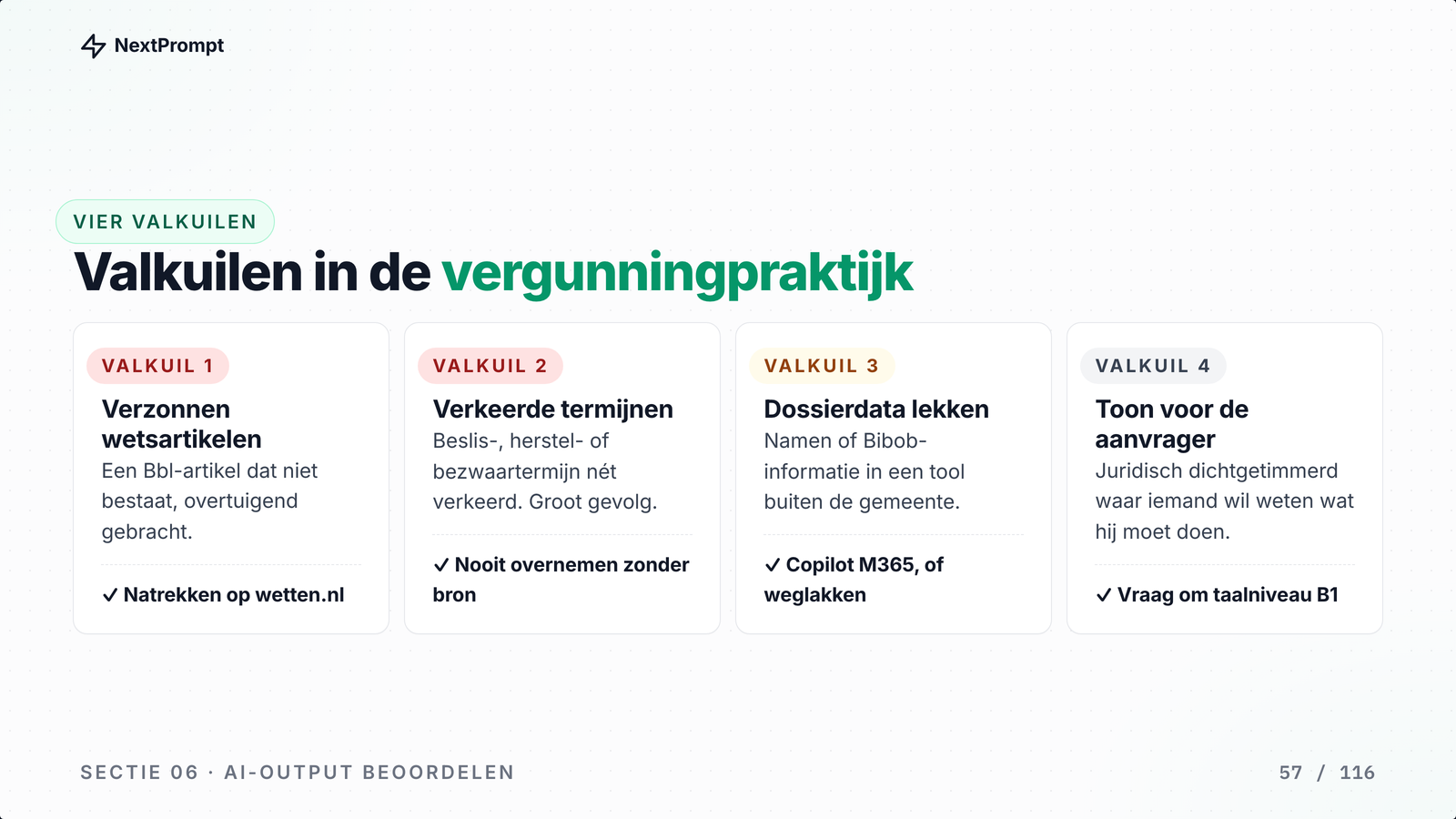
Check every article
AI sometimes invents a building code article or a deadline. You learn prompts that flag doubt and a fixed five-step check.
Work on your own case file
Three workflows based on your intake: letters and reasoning, regulations and the building code check, and objections.
You make the decision
Final legal responsibility, weighing a borderline case and the conversation with the applicant remain human work.
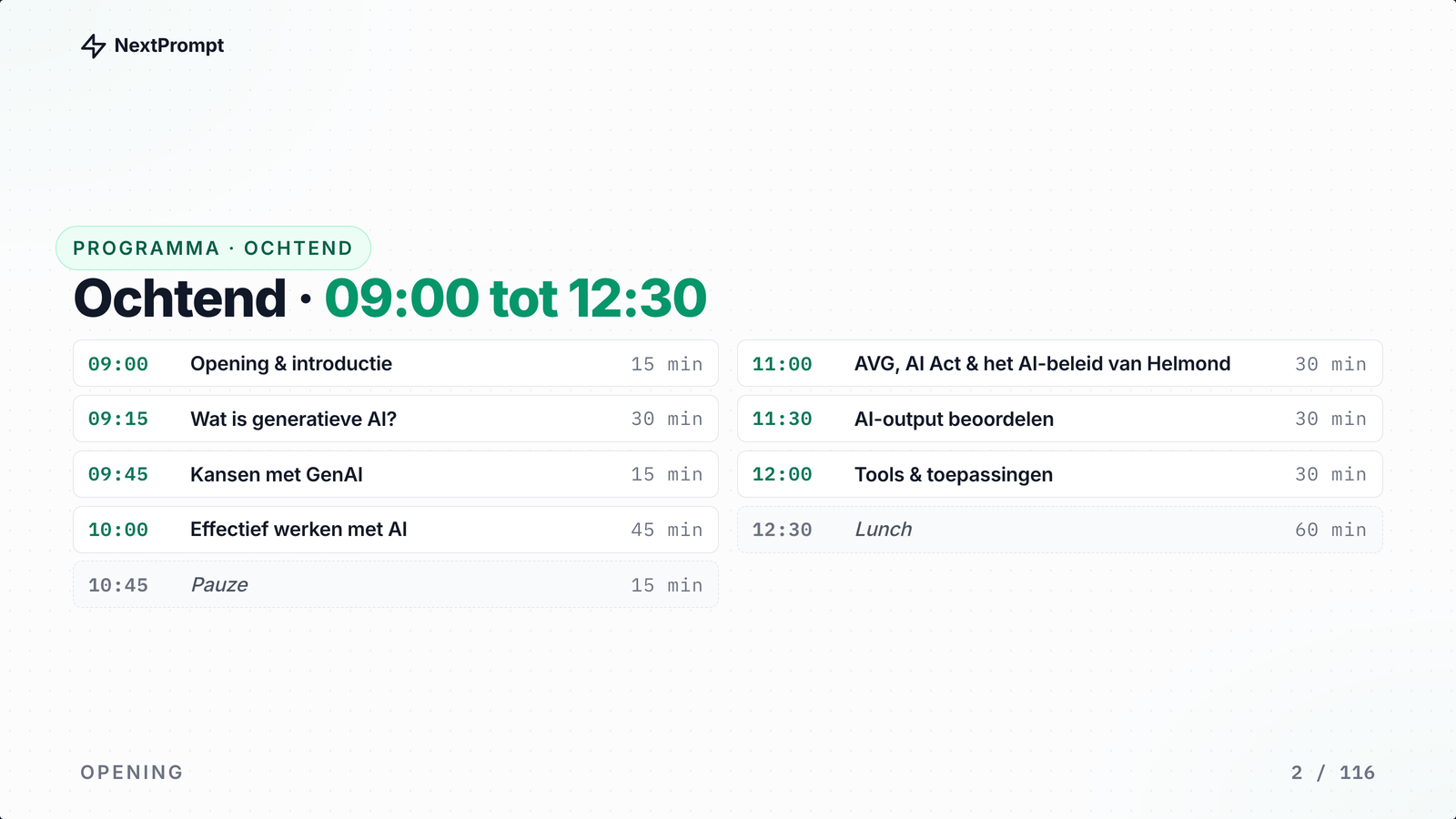
The day program
Morning: foundation and frameworks. Afternoon: three workflows on your own case files.
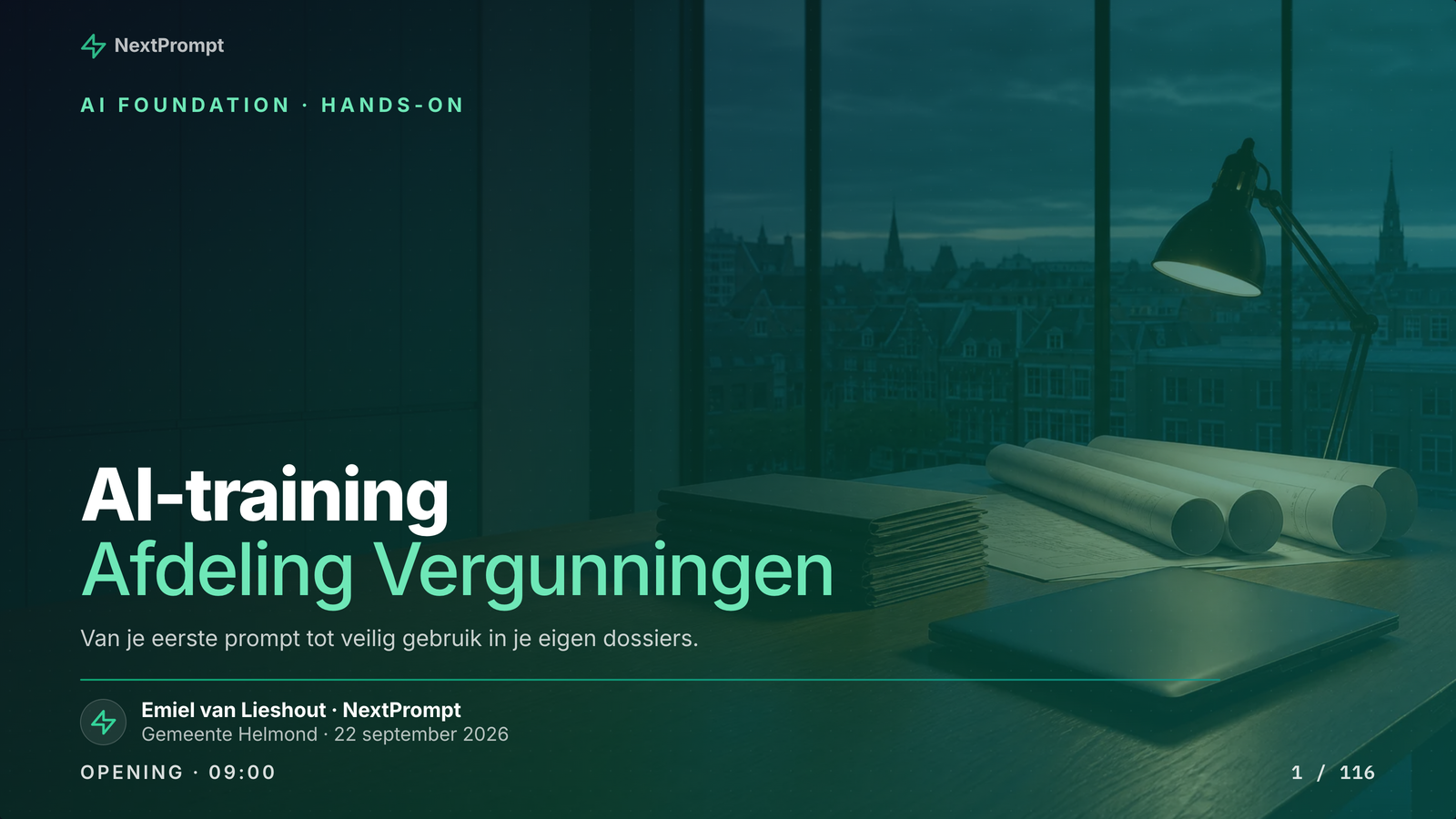
A look inside the training
A preview of what to expect
What participants say
Feedback from the permits department of Gemeente Helmond
A fun and interesting training session. Recommended for all colleagues!
Provided a lot of clarity and practical tools for using AI in our work.
Great to finally have it explained how it works, what different platforms are available, and what's possible with the right approach to requesting information.
It was interesting to learn more about the background and to practice writing prompts. There was still quite a lot of theory, though. Perhaps after the break, it would be good to work on practical assignments and tailor them to the different roles.
I didn’t have high expectations and thought it would mainly be dry or boring material, but that was absolutely not the case. The trainer also did a great job of keeping the energy up throughout the presentation.
From 12 evaluations after this training.

Emiel van Lieshout
Founder · AI trainer
Runs the in-company programmes, from prompt frameworks to working with agents. Makes sure what you learn sticks after the training.
Training options
Choose the depth that fits your situation. Prices excl. VAT
- AI foundation
- Effective prompting
- Quality assessment
- Hands-on with your case files
- All materials included
- Everything from half day
- GDPR, AI Act and municipal policy
- Three workflows for permit work
- Practice on your own case files
- Personal action plan
- Follow-up session (optional)
- Everything from full day
- Implementation roadmap
- Team-specific workshops
- Pilot guidance
- 2 follow-up sessions
What's included?
Frequently asked questions
What you need to know about the training
Plan an AI training for your permits team
Tell us about your organization and goals. We will gladly think along about the right setup.