AI literacy starts in your inbox. Here is why we kept the Office Manager deliberately small.
Since early 2025 you must be able to show that the people working with AI understand what they are doing. Your email, of all channels, is the hardest. A look at the choice to let an agent do less on purpose.
Email is the most sensitive channel you have. It holds client commitments, amounts, and sometimes a decision that affects someone. That is exactly why it is the hardest channel to let an AI agent loose on. When we built the Office Manager, the key design choice was not what it may do, but what it may not do on purpose.
Since early 2025 there is an obligation many teams overlook. Article 4 of the European AI Act does not ask for a certificate, but for something more awkward: you must be able to show that the people working with AI sufficiently understand what the system does. That is exactly what our AI training makes demonstrable. This summer the heaviest layer arrived on top, the obligations for high-risk systems.
For most teams that lands as an abstract deadline. We decided to make it concrete on the channel where things go wrong fastest: the inbox where your agent drafts replies in your name. That is the Office Manager, one of the agents we build.
Why your inbox falls under the duty
An assistant that writes a summary rarely falls under a heavy regime. But the dividing line is thinner than you think. The moment an agent helps decide about an individual, the category shifts. A mail agent sits closer to that line than a text generator: it decides which mail matters, who gets a reply, and in what tone. Where that line ended up for a specific client is in our showcases.
Where it flips
As long as the Office Manager sorts and drafts, it supports a human. If it were to send by itself, or order items by "likely approved", it would pre-sort a decision with consequences for someone else.
That is the moment you move from convenience to accountability. We built the agent so it cannot cross that line by itself.
The eight buckets, and why there stay eight
The Office Manager reads every new mail and files it into one of eight fixed categories. You cannot invent a ninth, and that is deliberate. Eight buckets are explainable to a regulator and to your own team. An open list of made-up labels is not. The full description per bucket is on the agent page.
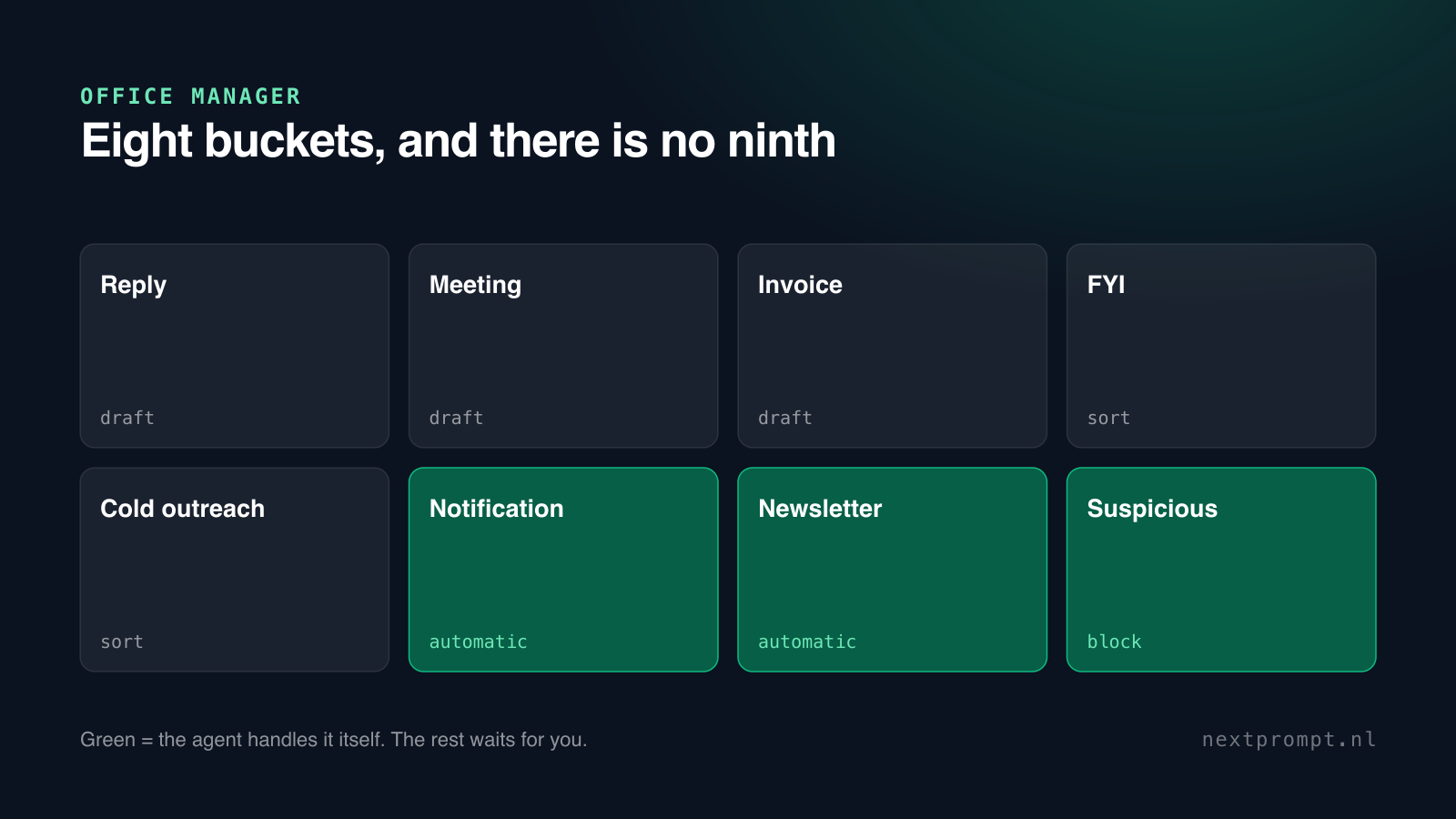
Note the bottom three. Notifications and newsletters may go automatically, because there is no human on the other end expecting a reply. Suspicious mail it never answers, it blocks and flags it. Everything above that, anything a human notices, stays at draft by default.
We first thought we had to prove the model is right. What you must be able to show is that you understand what it does and where your line is.Emiel van Lieshout, NextPrompt
The send button stays yours
There is exactly one place in the system where a mail can leave, and that button is yours. The model that reads the mail and drafts the reply has no technical way to send. That is not a setting you can switch off by accident, it is how the agent is built. The same rule applies to the sales assistant: proposing is allowed, sending is not.
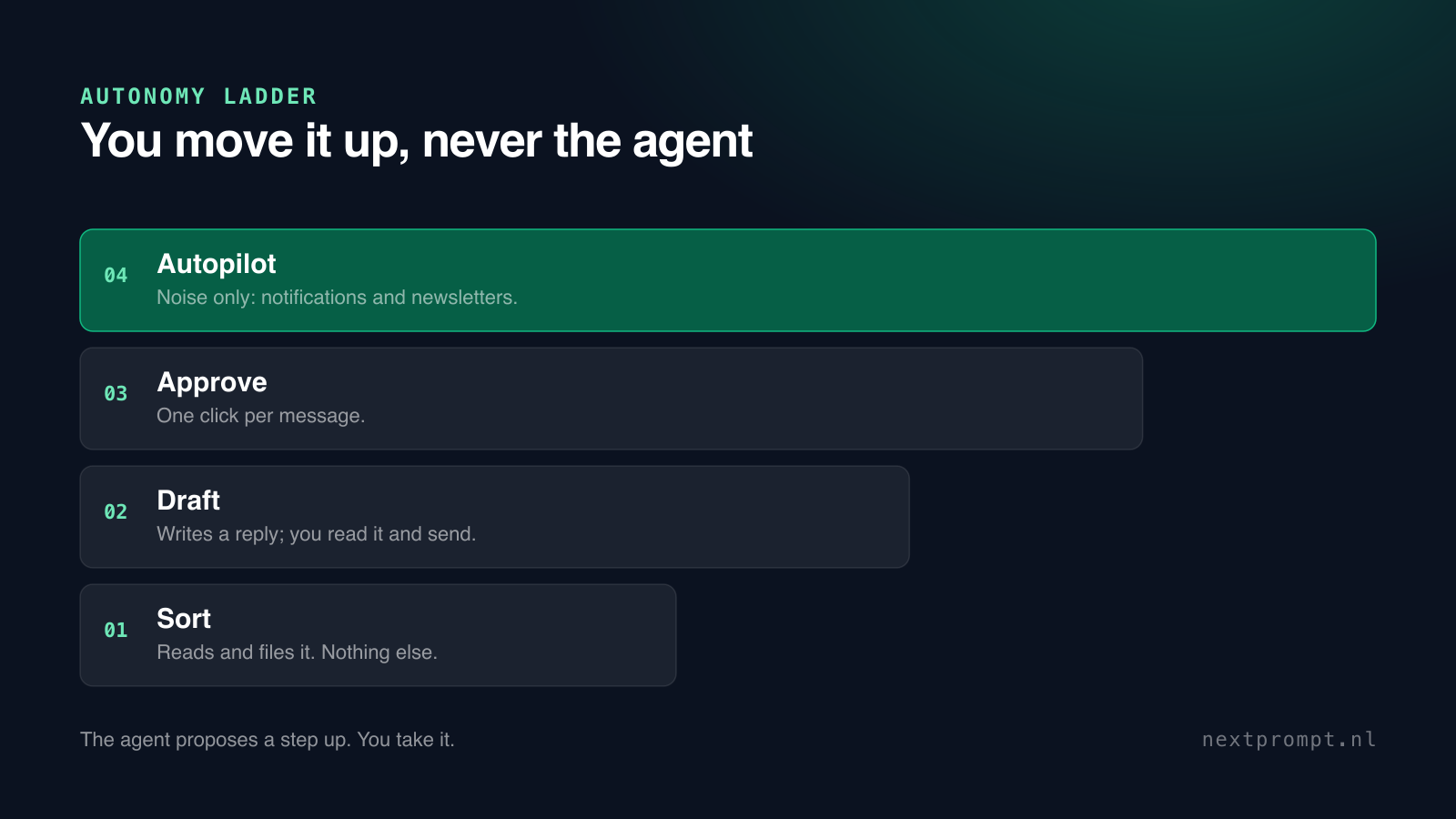
Below it sits an autonomy ladder with four levels: sort, draft, approve and autopilot. You move a category or a specific sender up when you trust it, never the other way around. And the agent learns along: if ten drafts in a row go out almost unchanged, it proposes to make that category a step more autonomous. It proposes, it does not act.
- It never confirms an amount on an invoice by itself.
- It never sends a reply without your click.
- It never raises its own autonomy on its own.
This is a training question, not an IT question
The article 4 obligation is not about software, but about people. The Commission answers that question the same way. Can you explain what the agent does, who manages it, and what happens when it gets it wrong? In practice we see those conversations run far more easily with teams that had a training. Not because they know the legal text, but because they ask the right questions about their own workflow. What participants make of that themselves is under reviews; if you are unsure whether a training or a consultancy track fits better, we go through it together in a thirty-minute call.
Run your own mail agent past this
- Describe in one sentence what your agent does. If there is a verb that looks like deciding, keep going.
- Determine who is affected. A colleague saving time is different from a client whose mail is treated differently.
- Find the human step. If it does not exist, or it is a button everyone presses blindly, that is your first rebuild.
- Open your log and reconstruct a case from last week. If you cannot within ten minutes, your record keeping is not done.
What we record, and what we deliberately do not keep
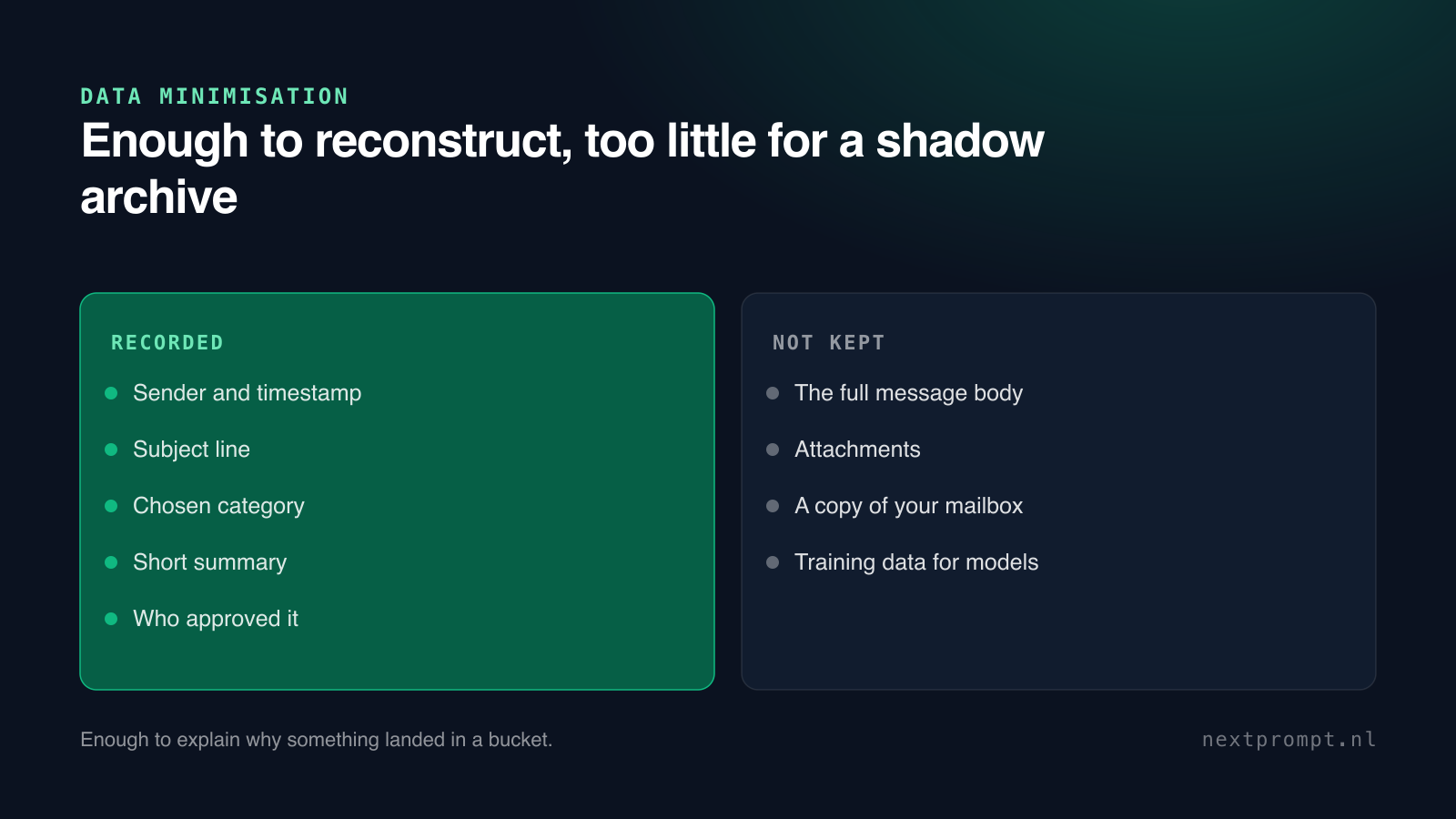
To answer those questions you do not need to keep the full content of your mail, and we specifically do not want to. The Office Manager records the sender, the subject, the timestamp, the chosen category and a short summary per mail. Enough to reconstruct why something landed in a bucket, without building a shadow archive of your correspondence.
The agent also runs only on your mailbox, through the official Microsoft connection, and you pause it with one click. It treats the mail it reads as data, not as instructions: anything someone hides in the text of a mail, it cannot execute, because the reading models have no buttons. That principle holds for every agent we ship, including the weighbridge operator that prepares invoices.
Read more on this site
The full explanation of the Office Manager, including the eight categories and the autonomy ladder, is on the agent page. To teach your team the right questions, see the AI training.
Beyond that: what an engagement delivers in practice is in the showcases, what participants thought of it under reviews, and on the first of every month the AI Pulse sums up what changed. More articles like this one are on the blog.
Accountability: the numbers and settings in this article come from the Office Manager product documentation (closed beta, August 2026). It runs on Microsoft 365 and Outlook; Gmail is on the roadmap.

Builds and teaches the AI engagements that touch the work floor, from prompt frameworks to agent architecture. Writes it up from practice.
All articles by this writer →